How to find duplicate Configuration Items in CMDB

This case study is for anyone who is engaged with ServiceNow and interested in CMDB health module. You will get a background knowledge and a hands on experience on the CMDB health module.
Case introduction
ELO is a world leading beauty tech company (client) focused on luxury brands and products. Their objective is to find a solution to tackle duplicate configuration items in their CMDB. As ServiceNow consultants, we will use the out of the box CMDB configurations to trouble shoot the duplicate server CIs. However, before sharing recommendations and solutions with the client, it is important to understand the context of the exercise.
Key problems and issues
- The client is planning to integrate server CIs in the CMDB from two different sources
- Some attributes are relevant from source 1 and other attributes are relevant from source 2
- Once data was integrated, there were duplicate records created with the same name
- The client does not have a dashboard to view the duplicate CIs
- The client is not able to take corrective measures to fix the issue
Background
- As ServiceNow consultants, we are looking for out of the box solutions
- We will demonstrate to the client the out of the box CMDB health dashboard module
- We will address the associated topics related to remediation of CMDB health check
Out of the box analysis to be done
- CMDB health dashboard
- CI class manager configuration
ServiceNow out of the box analysis
1. CMDB health dashboard analysis
a. How to access CMDB View:
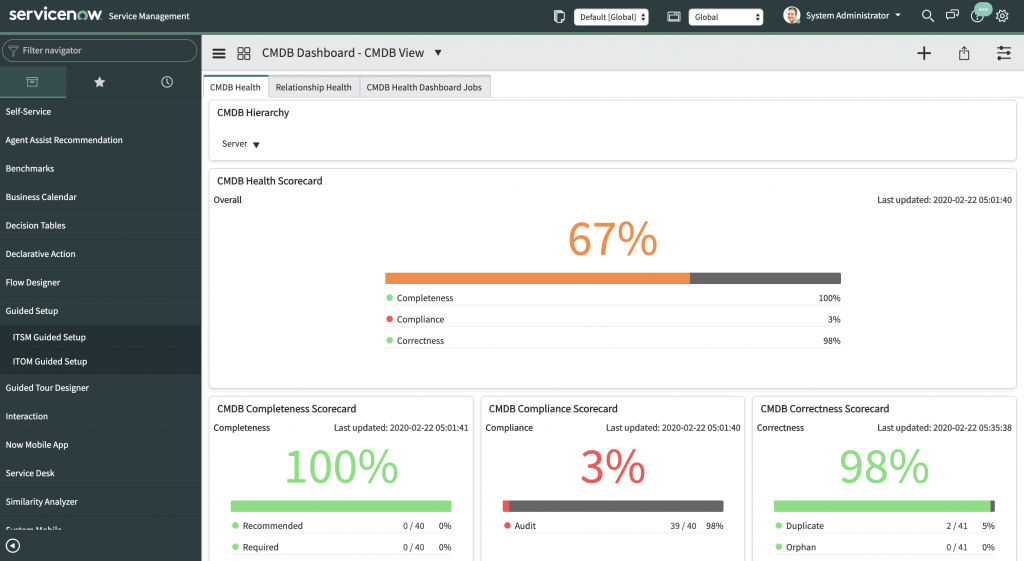
The out of the box CMDB health dashboard can be accessed from ‘CMDB View’ in the filter navigator.
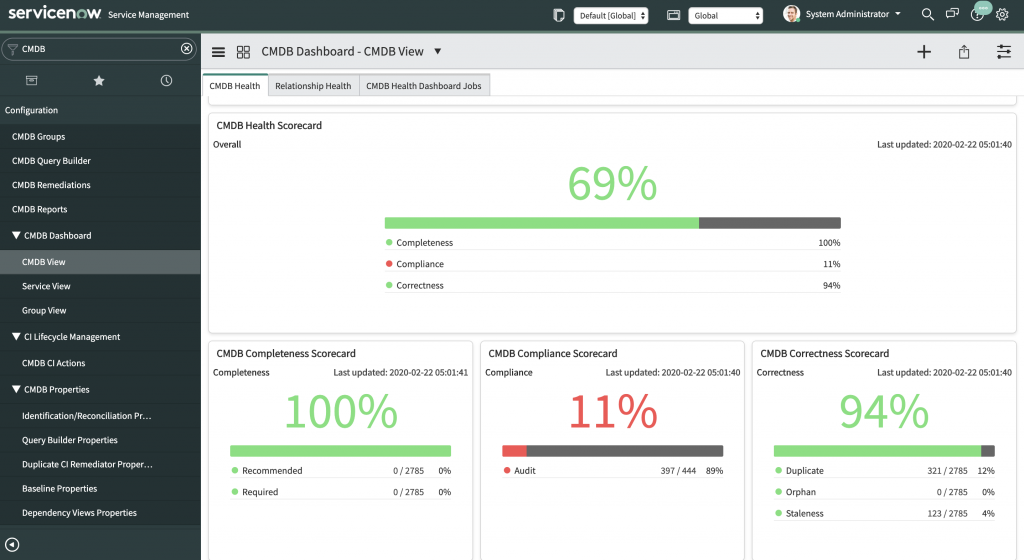
The health of CMDB are monitored and reported for the following indicators. Click here for more information.
- Completeness (recommended fields, required fields)
- Compliance (audits)
- Correctness (duplicates, orphans, staleness)
We are interested in duplicate CI score in correctness section in this case study.
b. How to activate CMDB health dashboard
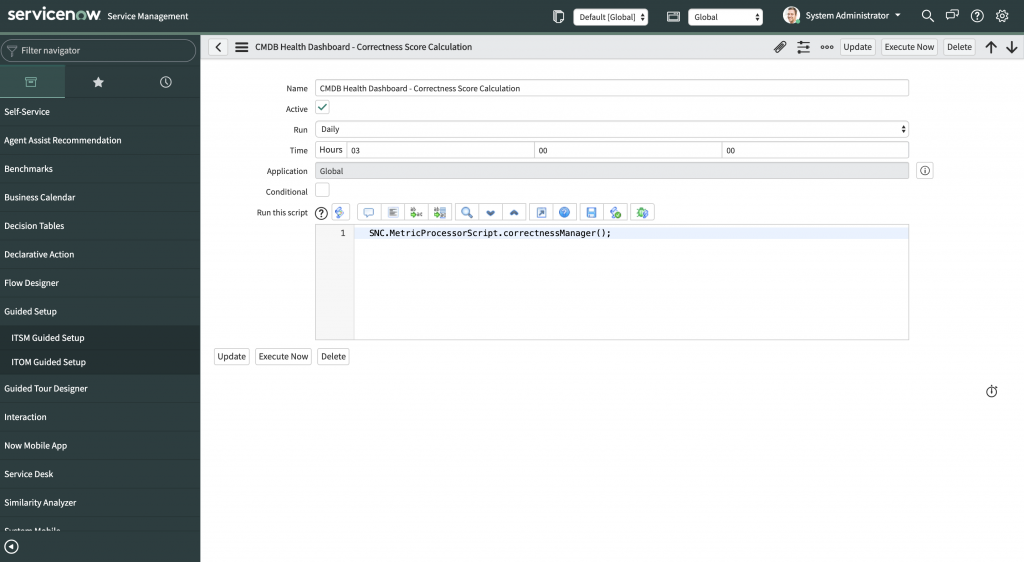
The values in the dashboard are populated when the ‘CMDB Health Dashboard Jobs’ are activated and executed.
- Select ‘CMDB Health Dashboard Jobs tab from the CMDB dashboard – CMDB View.
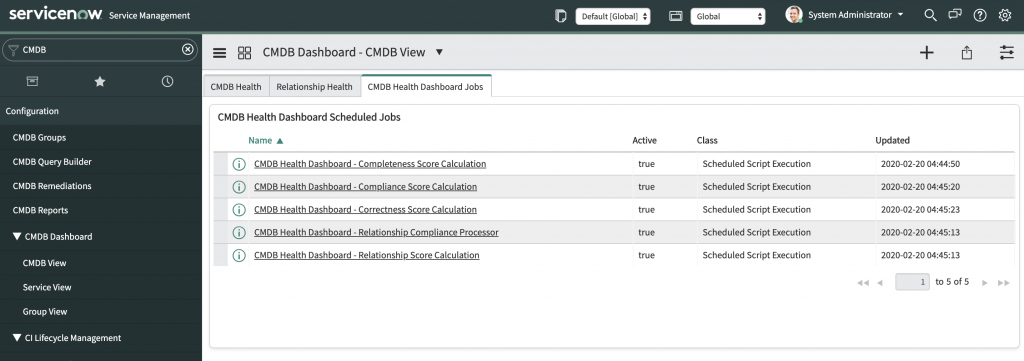
- Select each of the CMDB Health dashboard schedules jobs. Activate it and click on Execute Now.
2. CI Class manager configuration
How to access CI Class manager configuration
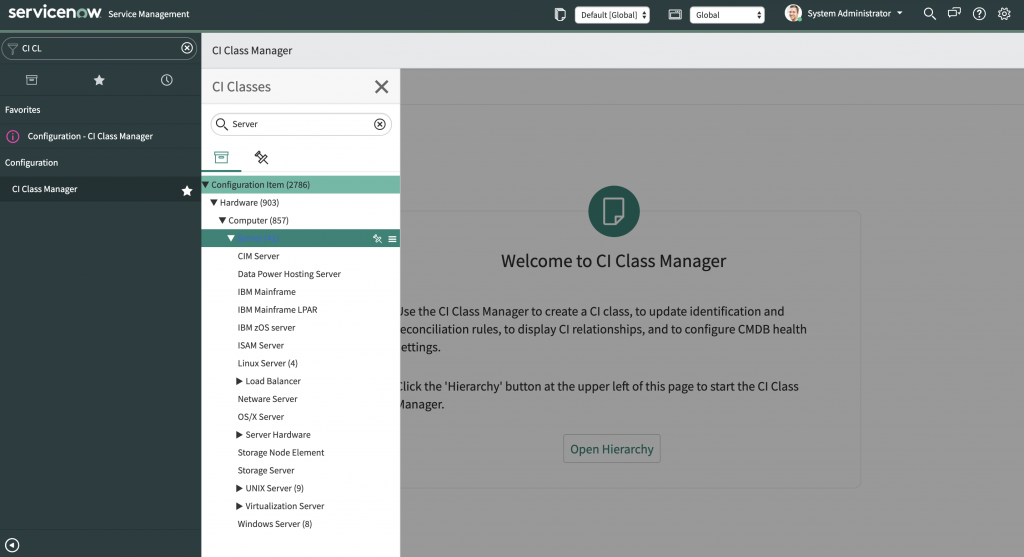
Search for CI Class manager in the navigator filter.
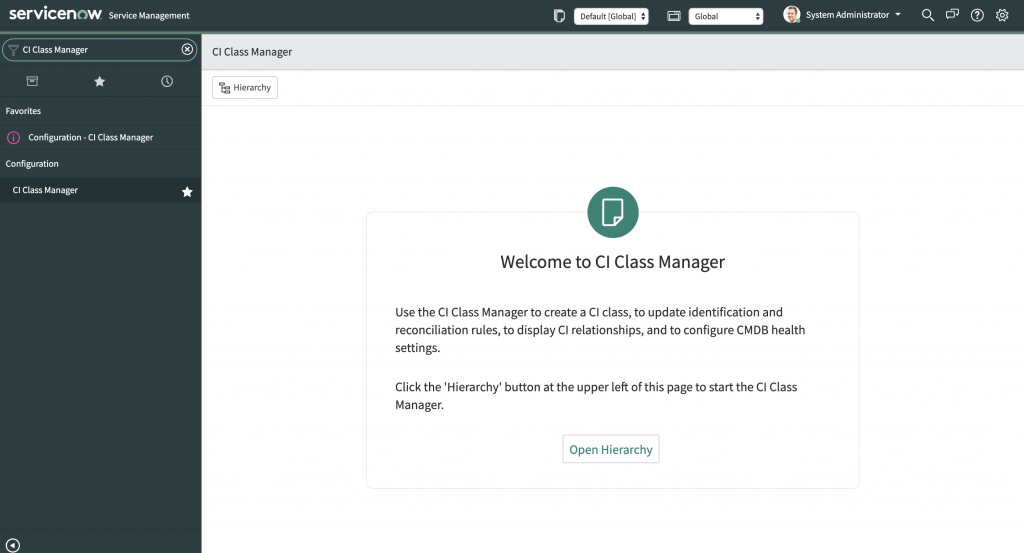
This gives you the list of all CI classes along with their hierarchy. Click on hierarchy to open the list of all CMDB classes. This will also let you configure the identification rules for your CI classes.
LAB: Create a duplicate CI and find it from CMDB Dashboard
Introduction
The aim of our lab is to find duplicate CIs from CMDB dashboard for the server CIs. We will define the identification rule to define the unicity of a CI. We will create a duplicate CI based on the identification rule defined before. We will run the scheduled jobs and find the duplicate CI that was created.
Steps to follow
1.Define the identification rule for Server CI class
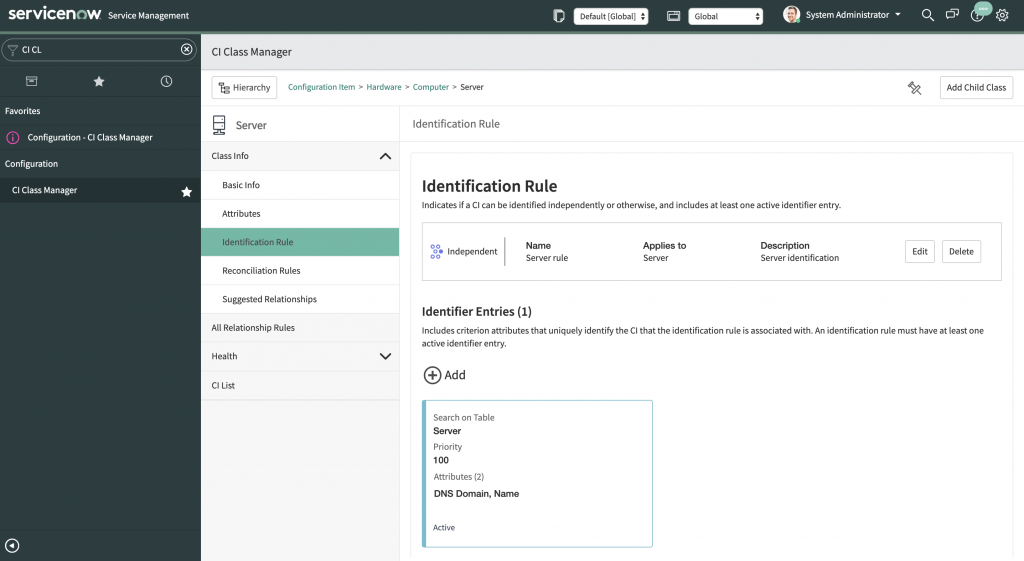
The Server CI identification rule can be set in the CI class manager as shown in the image below.
Let us define the identification rule based on two fields of the class namely the name and DNS Domain.
2. Manually create a duplicate server CI by creating a record with same Name and DNS Domain as shown below:

3. Execute the CMDB correctness job as explained in ‘how to activate CMDB Health dashboard’ to update the results on the dashboard.
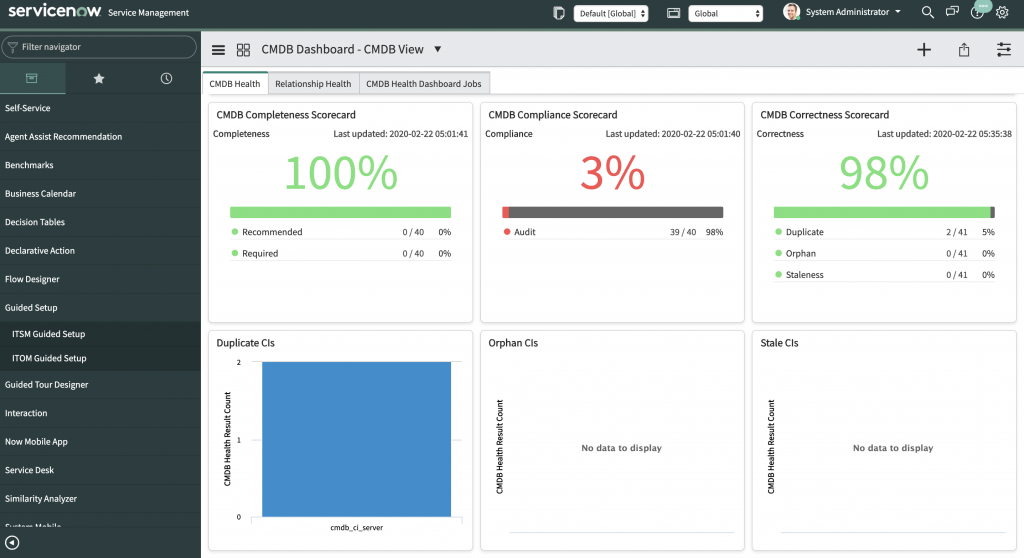
Filter the CMDB hierarchy to display results of server CI : In the CMDB Correctness score card, it displays two duplicate records.
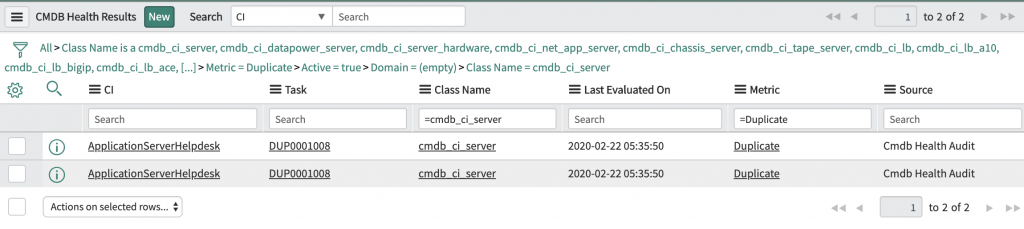
Duplicate CIs records are displayed for cmdb_ci_server class
You can view the two duplicate records as shown in image below when you click on the graph results.
Next steps
The client now has visibility on duplicate servers in the CMDB. As we have successfully tackled the issue on duplicate server CIs, we should next focus on remediation steps. We can recommend multiple solutions to the client such as:
- Set up CMDB remediation rule to resolve duplicate issues
- Build governance on who has the right to take the remediation actions
It will also be a good recommendation to define the other health dashboard metrics such as completeness, compliance, and remaining correctness rules.
Here are a few questions that can bring more insight to this situation:
- Why do we need two different sources for the same configuration item?
- Is it possible to prevent this issue from the root? (e.g: select only source)
- What is the expected final outcomeafter identifying duplicates?
- Define some use cases where this issue can be corrected.
- Define governance on who will identify and take remediation action?
For enquiries please contact contact@elo.blue
Authored by
Deepu John JOHNSON
ELO ServiceNow Consultant